

Product
Comments and task evidence
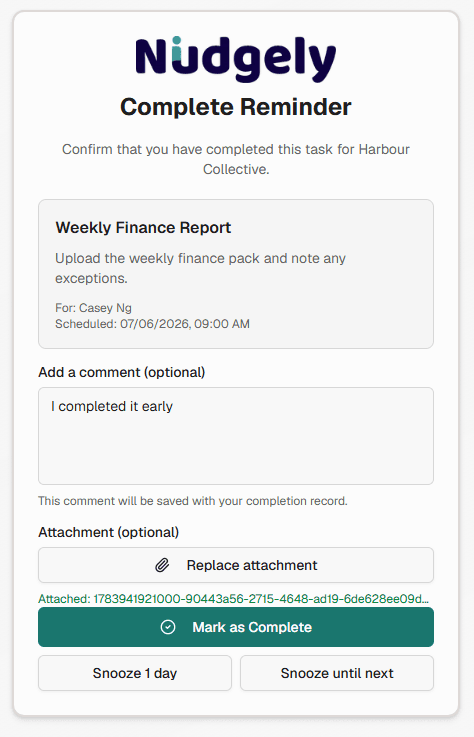
Collect comments and file attachments with each completion so recurring work leaves a clear record.
Free forever for small teams. No credit card required. Recipients do not need accounts.
The problem
A bare tick-box is often not enough. Finance, compliance and client work need a note, screenshot or PDF attached to the completion.
How the workflow works
Step 1
Recipient opens the completion page
Alongside marking the task done, they can leave a comment and upload an allowed file.
Step 2
Evidence is stored with the completion
Attachments such as images or PDFs are saved with the recipient event for later review.
Step 3
Managers review in context
Comments and files appear with the completion history for that occurrence.
Relevant capabilities
- Optional completion comments
- Image and PDF attachments
- Evidence available in completion history
- Works with optional approvals
- Recipients still need no account
Site safety photo check
A weekly site check asks managers to confirm hazards were reviewed and upload a photo. The operations lead reviews attachments without chasing files over email.
Frequently asked questions
Related pages
- Optional approval workflows
- Completion and overdue tracking
- Account-free task completion
- Compliance task reminders
- Client document reminders
- Client document request
- Compliance check
Ready to stop chasing recurring work?
Create your first nudge and let Nudgely handle the reminders and outstanding tracking.